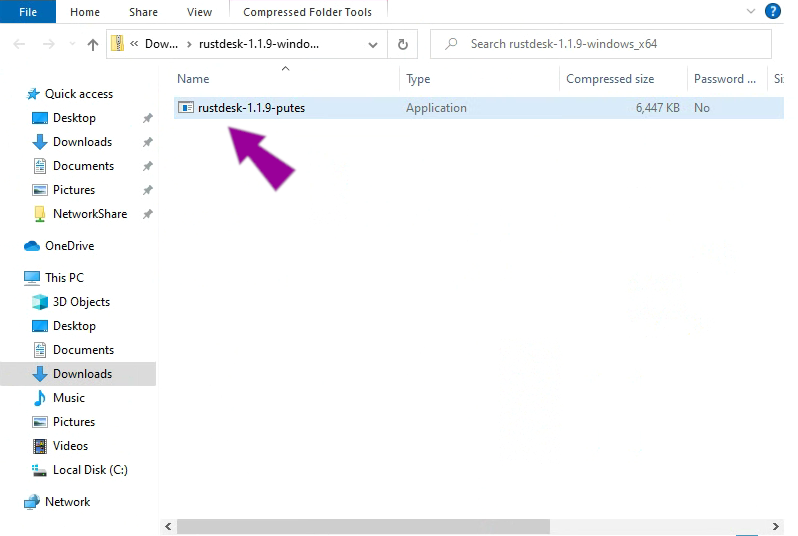
Quite often it’s easier just to show people how to do something rather than try and explain it. That’s where remote control comes in handy. Provided you have an internet connection, we can use remote control software to see your screen and move your mouse from here. That way we can give you instant support right now.
Firstly it’s very important to let us know you are here waiting for help. You can ring us using the contact number below. On some occasions our technicians may be unavailable. In that case leave a message along with some method for us to contact you and we will get back to you as soon as we can.
Alternatively You can use the little purple chat icon in the bottom right to contact us. Try clicking it and typing a message. If we are online we should respond momentarily.
Once you are speaking to us, either via the chat or on the phone, the next step is to download and run the remote control software on your computer. The remote control software for ad-hoc support is provided by a company called Rustdesk.
To continue, Please click a button below to download the software (from Github) for your operating system..
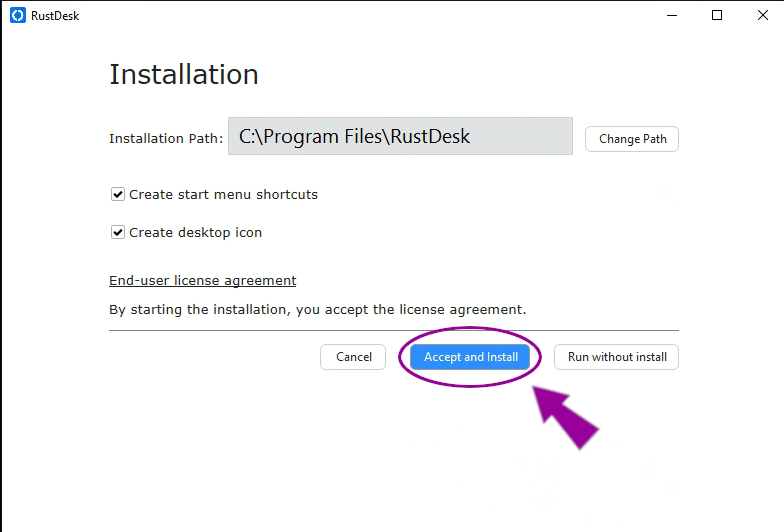
2. Click “Accept and install” to accept the license agreement and install the software on your computer.
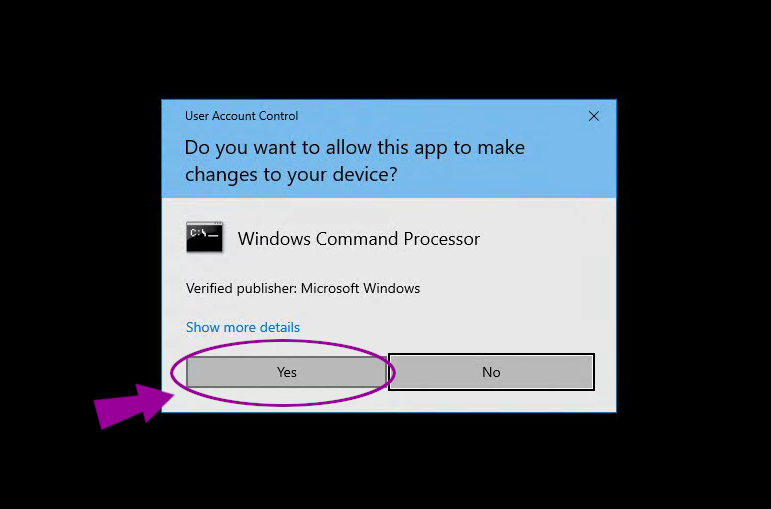
3. Windows will ask your permission to continue. Click yes to allow the program to install.
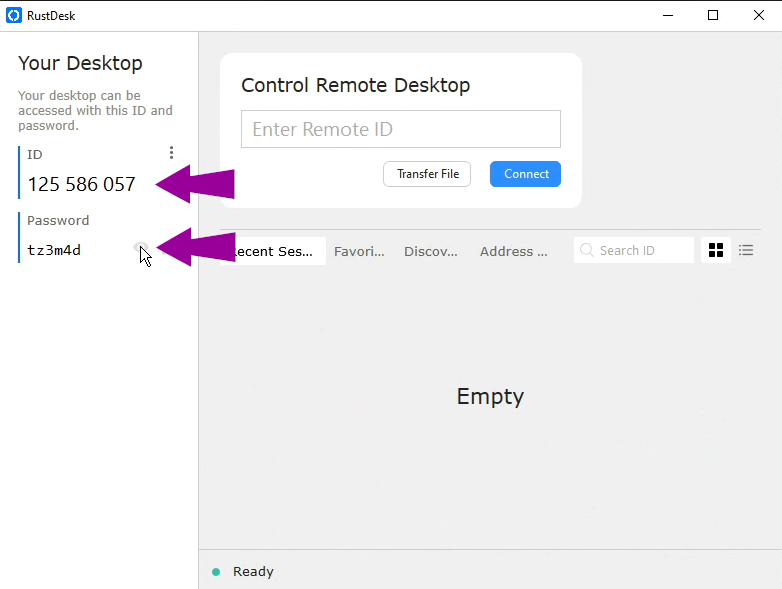
4. To allow a technician to access your computer you will need to give them the ID number and password shown opposite. Hover over the little eye symbol to make the password visible.
After the session has ended you can change the password or remove the software using “add or remove programs” from the windows control panel.